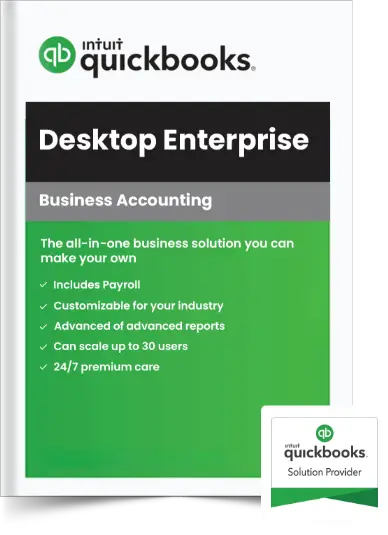
Buy QuickBooks Enterprise License
Accelerate Growth with an all-in-one business management solution.
- Built-in payroll
- Optimize your sales process
- Integrated payments
- Pre-built and customizable reporting
Best-in-class Business Management Solution
Choosing QuickBooks Enterprise offers you a robust accounting solution packed with features that stimulate business growth, enhance operational efficiency, and ensure robust security.
Managed Customer Prepayments
Easily record and monitor customer prepayments and deposits for sales orders, simplifying processes and enhancing efficiency for your clients.
Comprehensive Payroll Management
Featuring powerful payroll management tools, it automates payroll processing, tax calculations, and compliance reporting, reducing administrative workload and ensuring payroll accuracy.
Industry-Specific Solutions
Tailored editions for various industries, including manufacturing, construction, retail, and nonprofits, provide specialized tools and reports.
Productive Accounting
With Enterprise, your workflow remains smooth, enabling effortless multitasking to navigate your clients' businesses easily and promote productivity.
Business Management
QuickBooks Enterprise Accountant is not just for accounting needs; it can help you and your client complete business management with multi-automation tools, all in one place.
Item Category Enhancements
Leverage multi-level categorization, direct Excel import, precise search, edit, and update options for more accurate and efficient inventory management.
QuickBooks Enterprise To Simplify Your Finance
Stay ahead with the advanced productivity features of QuickBooks Desktop Enterprise and harness its full potential.
Convenient Pay Now Payments
Simplify payments with a Pay Now link on invoices, enabling instant online payments via credit card or bank transfer for improved cash flow.
One-Click Reports Capture
Quickly generate essential reports like Profit & Loss and Balance Sheet with just one click for better record-keeping.
Batch Invoice Emailing
With the new functionality available, you can send batch invoices to customers in a single email and save time.
Automatic Payment Reminder
Efficiently manage customer payment reminders by setting customized reminders and sending automated emails on due dates.
Efficient Company File Search
Quickly locate and access any company file with the "Find A Company File" button in the No Company Open window.
Streamlined Bank Account Syncing
Create invoices for services, expenses, and goods and track the payment status in real time.
Basic System Requirements
Find out what you need for a good QuickBooks Accountant experience.
- Windows 10 and 11+, all 64-bit editions, natively installed
- Payroll and online features require Internet access
- Windows Server 2012, 2016, 2019, or 2022 (Regular or Small Business Server)
- Product registration required
- 8 GB minimum, 16 GB recommended
- Optimized for 1280x1024 screen resolution or higher. Supports one Workstation
- 2.4 GHz processor
- Monitor, plus up to 2 extended monitors
- 4 GB RAM (8 GB recommended)
- Optimized for Default DPI settings
- 2.5 GB disk space recommended (additional space required for data files)
Switch to QuickBooks Enterprise:
Unlock Advanced Features for Seamless Business Growth
Frequently Asked Questions (FAQs)
No, Intuit continues to support and provide regular updates for QuickBooks Desktop Enterprise as their premier desktop accounting solution, even as older versions of Pro and Premier are phased out.
Choose QuickBooks Enterprise for its massive data capacity, advanced inventory management, exceptional scalability (up to 40 simultaneous users), and industry-specific editions that provide tailored reporting and workflows for manufacturing, retail, contracting, and more.
Silver includes core accounting and advanced reporting. Gold adds enhanced payroll functionalities. Platinum includes everything in Gold plus Advanced Inventory and Advanced Pricing features. Diamond adds assisted payroll and advanced time tracking.
Yes, it integrates with over 200 third-party applications for additional functionalities like ERP, CRM, eCommerce, and advanced analytics. Paragon Softwares supports seamless third-party integrations in our secure hosted environment.
Yes, QuickBooks Enterprise scales smoothly from 1 to 40 simultaneous users. To maximize efficiency, we highly recommend cloud hosting, which enables your entire team to collaborate in real-time on the same company file from any location or device.
Yes, QuickBooks Desktop Enterprise is offered strictly as an annual subscription. This ensures you always have access to the latest features, critical security updates, and 24/7 premium support directly from Intuit.
By default, local installations restrict you to your office network. However, if you host your QuickBooks Enterprise license on a cloud server with Paragon Softwares, your team can securely access the software and company files simultaneously from anywhere in the world.
Your Enterprise subscription includes 24/7 Premium Support directly from Intuit. Additionally, our team of technical experts at Paragon Softwares is available round-the-clock to assist with any queries related to the cloud hosting of your software.
Absolutely. Upgrading from QuickBooks Pro or Premier to Enterprise is a seamless built-in process that safely transfers all your existing company data. For assistance, contact our Solutions Consultants at +1(855) 363-0916.
Enterprise Desktop is installed locally on your office computers. Enterprise Hosting places your robust desktop software on secure cloud servers, giving you the power of Enterprise with the remote accessibility of the cloud. QuickBooks Online is a purely web-based platform that lacks the massive data capacity and advanced inventory features found in Enterprise.
Our Partners